




If your agency uses ServiceNow, you know the platform handles incidents, changes, and problems well. What it does not do well is give you the custom reporting you need.
ServiceNow reports cover a narrow set of questions. They do not cover the questions your leadership asks. The compliance metrics your funders want? Not covered. The cross-system view your team needs to make decisions? Not covered either.
This post explains why ServiceNow reports fall short for most government and health agencies. It also shows how a custom Qlik Cloud connection solves the problem without expensive platform development. Because ServiceNow is built for workflow, not analytics, the reporting gap is a common pain point across public-sector agencies.
If you need help working through this in your own environment, you can always reach out to us at Arc Qlik Consulting Services.
The Problem With ServiceNow Reports
ServiceNow is built for workflow. It moves a ticket from “open” to “resolved” and tracks the path it took. That is its strength. Reporting is a secondary feature.
When you try to get the answers leadership actually wants, you run into four problems. Each one compounds the others, and together they make it nearly impossible to get the visibility you need from ServiceNow reports alone.
1. Prebuilt reports cover a narrow set
ServiceNow includes standard reports for incident volume, change approval rates, and problem closure times. These are useful. However, they do not answer questions like “which program areas generate the most escalations by region” or “how does our average resolution time compare to last quarter by department.”
To get those answers, you need a custom report. And that is where the next problem begins.
2. Custom reports are expensive and slow
Building a custom report in ServiceNow requires platform development. A developer writes the query, configures the layout, and tests the result. This can take days or weeks.
For a government agency or a health department, that timeline is not acceptable. In fact, the longer the delay, the more likely the decision is made without the data.
3. Data stays siloed
When your agency runs on multiple systems, ServiceNow is one of them. Financial data lives in one system. HR data in another. Operational data in yet another.
ServiceNow does not connect those systems. It sits in its own environment, and the data inside it cannot talk to the rest of your environment. As a result, your ServiceNow reports only show one piece of the picture.
4. No AI or automation
ServiceNow prebuilt reports are static. They do not feed into AI agents, automated workflows, or real-time dashboards. They are designed for a person to open them and read them.
For instance, if you want an AI agent to monitor incident trends and trigger alerts when a threshold is crossed, ServiceNow reports cannot do that. The data is locked in a format that was not built for automation.
How Qlik Cloud Solves the ServiceNow Reporting Problem
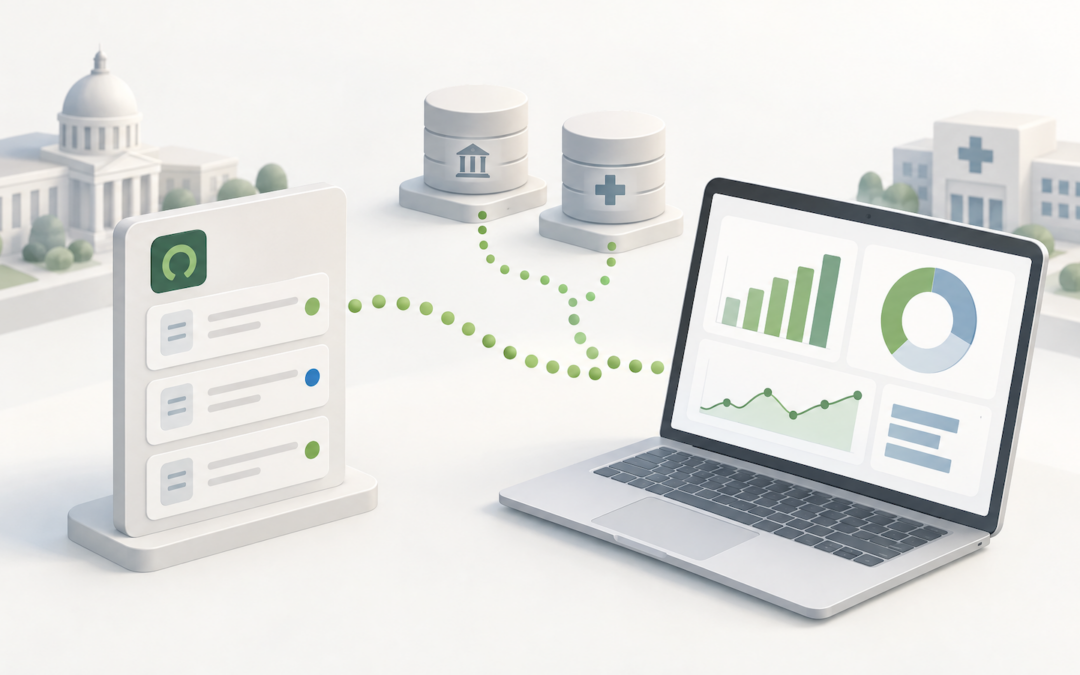
Qlik Cloud connects to ServiceNow through a native connector. The connector pulls data from ServiceNow tables, including incidents, problems, changes, tasks, and user records. This is how you fix the gap in ServiceNow reports without rewriting the platform.
Setup is simple. You create a read-only user in ServiceNow with access to the tables you need. Then the data syncs into your Qlik environment where you can build custom reports, dashboards, and analytics. Qlik documentation covers the ServiceNow connector in detail at the ServiceNow connector page.
Here is what that looks like in practice.
| Capability | ServiceNow Prebuilt Reports | Qlik Cloud with ServiceNow Connector |
| Custom questions | Narrow, prebuilt set only | Any question, any combination of data |
| Build time | Days or weeks (platform development) | Hours (Qlik analyst or developer) |
| Cross-system data | ServiceNow only | ServiceNow plus all connected sources |
| AI and automation | Static, no automation | AI-ready, real-time, queryable |
| Cost profile | High (developer time per report) | Low (one connector, unlimited reports) |
1. Custom reports that answer your questions
With ServiceNow data in Qlik Cloud, you can build a report that crosses ServiceNow data with data from other systems. You can show incident volume by department and region. Track average resolution time against a target. See how change approval rates vary by program area.
These are reports that ServiceNow cannot generate on its own. They require cross-system data, and Qlik Cloud is built for that. You can explore how Arc supports this on our data integration services page.
2. Faster than platform development
Instead of waiting for a ServiceNow developer, you build the report in Qlik Cloud. A data analyst or a Qlik developer can build it in hours, not weeks. Moreover, the report can be updated and refined without going back to a developer.
For a government agency or a health department, that speed matters. ServiceNow reports take weeks. Qlik Cloud gives you the answer this week, not next month.
3. A single source of truth
When ServiceNow data lives in Qlik Cloud alongside data from your financial system, HR system, and operational systems, you get a single view. Leadership can see the full picture, not just the ServiceNow slice.
This is the value of a custom connector. It breaks the silo that ServiceNow reports create and gives you the cross-system view you need to make decisions.
4. AI-ready data
ServiceNow prebuilt reports do not support AI or automation. Qlik Cloud data does, and that is the difference between ServiceNow reports and a real analytics platform.
Qlik Cloud has a built-in way to let AI tools query your data directly. An AI agent can ask a question about your ServiceNow data and get an answer. It can also trigger automated actions based on the result.
A Real Example: The Florida State Department
Arc Analytics worked with a Florida state agency to implement custom reports that pull ServiceNow data directly into Qlik Cloud. This was not a new project. It was a swap.
The agency had been using an older ticket tracking system. Its reports pointed at that old system.
When the agency moved to ServiceNow, it faced a choice: wait for platform development to rebuild every report, or find a faster path.
Arc chose the faster path. We re-mapped the reports under the hood. Instead of pointing at the old ticket tracking system, the reports now pull from ServiceNow connector tables and fields. The reports look the same to the people who use them. The data underneath changed, but the reports did not.
The agency did not lose a single day of reporting. There was no delay in service. There were no lost reports.
And the team did more than just keep existing reports working. Because the reports were now in Qlik Cloud, the team could add new metrics and cross-reference with other systems.
They also built dashboards that ServiceNow could not generate on its own. They expanded faster than they could have built those reports in ServiceNow.
The platform caught up. Nothing lagged.
The agency kept reporting, and improved reporting, while it moved to ServiceNow. And it continues to be successful today.
Why This Matters for Government and Health Agencies
Government and health agencies operate under pressure. They have limited budgets, tight compliance requirements, and leadership that needs answers fast.
ServiceNow is a good platform for running workflows. However, ServiceNow reports are not a good way to answer the questions that leadership and compliance teams actually ask. Qlik Cloud gives you the custom reporting you need without the cost and delay of platform development.
For agencies that need help connecting their systems, Arc Analytics offers cooperative purchasing pathways through multiple state and local contract vehicles. This means you can engage Arc through a compliant procurement path without a full RFP.
How Arc Can Help
If your agency uses ServiceNow and needs custom reporting that goes beyond ServiceNow reports, Arc Analytics can help.
We work with government and health agencies to connect ServiceNow data to Qlik Cloud. Then we build custom reports and dashboards that give leadership the view it needs. We also set up connections so your AI tools can query your data without custom development.
Schedule a meeting with Arc to discuss how to connect ServiceNow to Qlik Cloud and get the reporting you need.